Home / Guides
Laptop guides
Plain answers to the questions that come up before buying a laptop, checked against manufacturer and standards documentation.
Battery & care
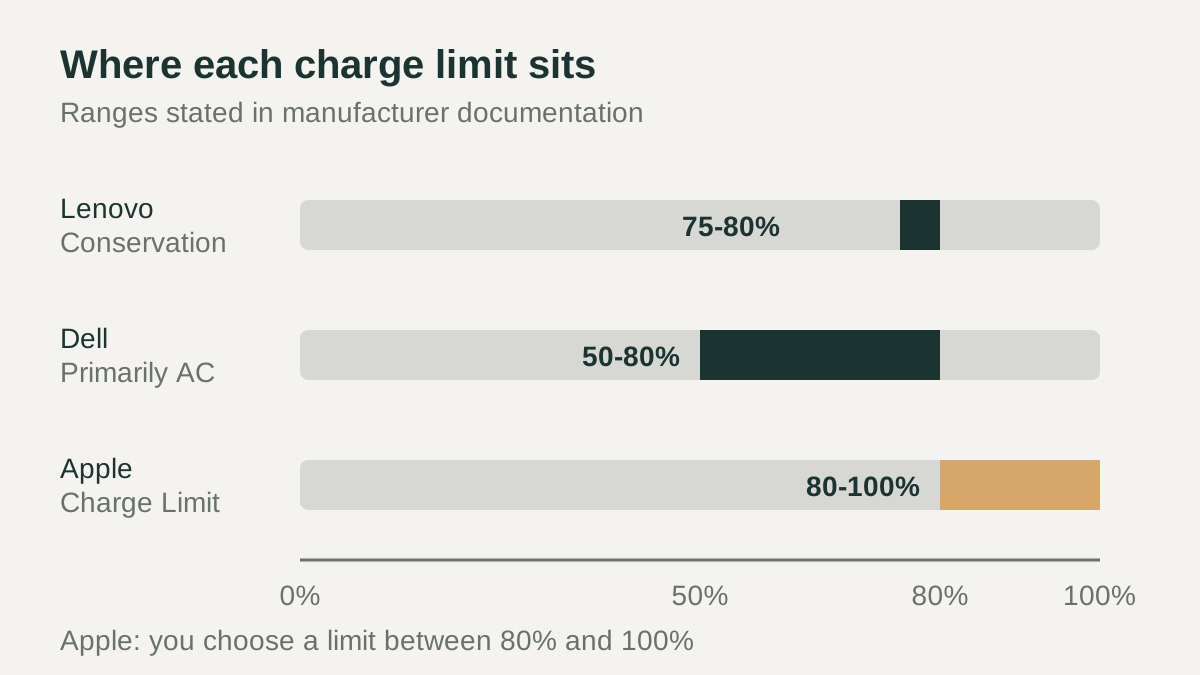 Laptop Battery Charge Limit: What It Does and How to Turn It On
Connectivity & power
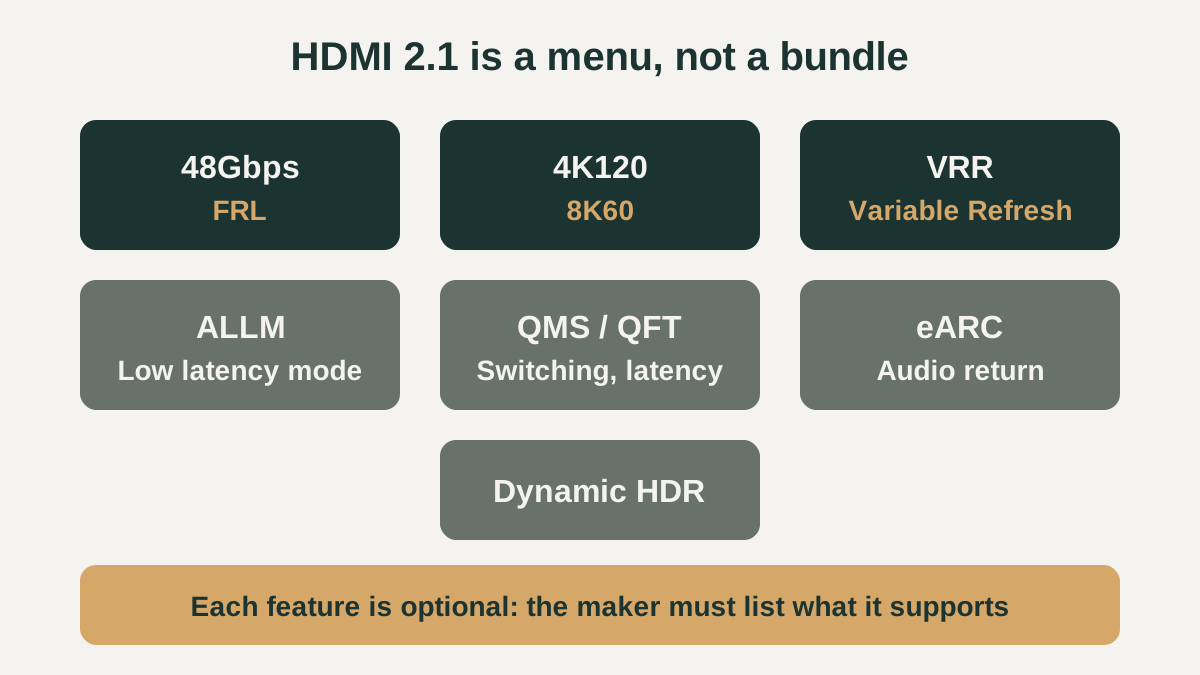 Laptop HDMI 2.1 Output: What the Label Does and Does Not PromiseWhat a laptop HDMI 2.1 port can add (48Gbps, 4K120, 8K60, VRR), why each feature is optional, which cable to use, and how USB-C adapters fit in.
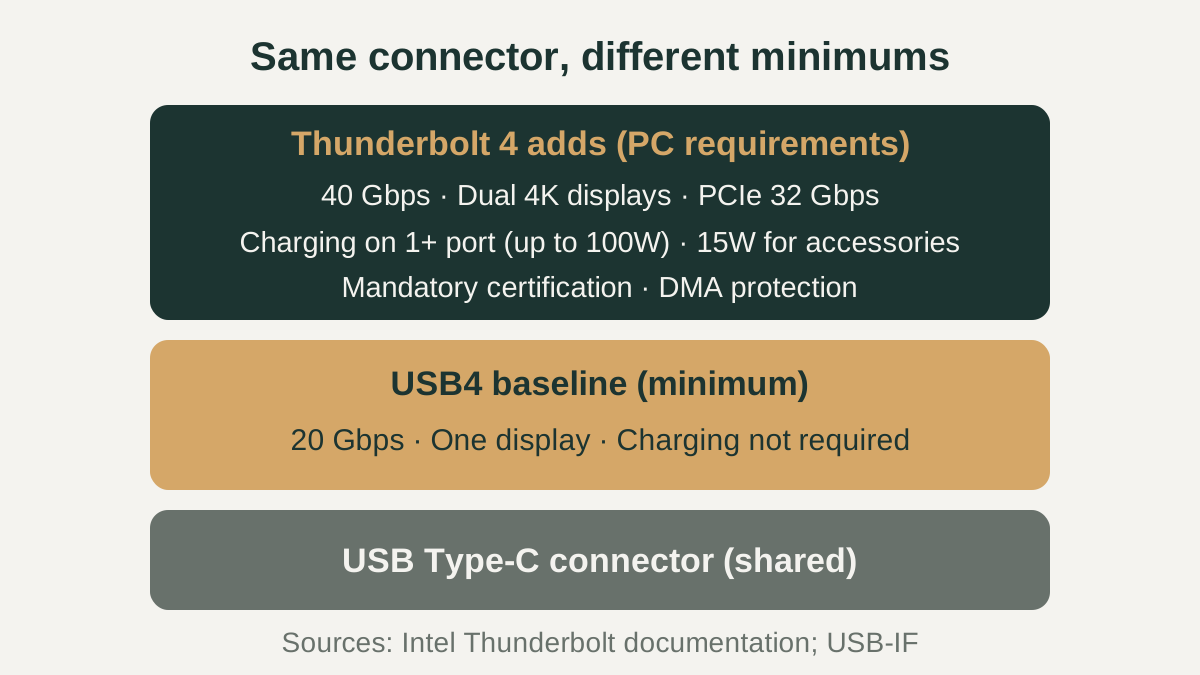 Thunderbolt 4 vs USB4: What Actually Differs on a Laptop PortThunderbolt 4 vs USB4 explained: same USB-C connector, but Thunderbolt 4 sets higher minimums for speed, displays, PCIe and charging. How to check a port.
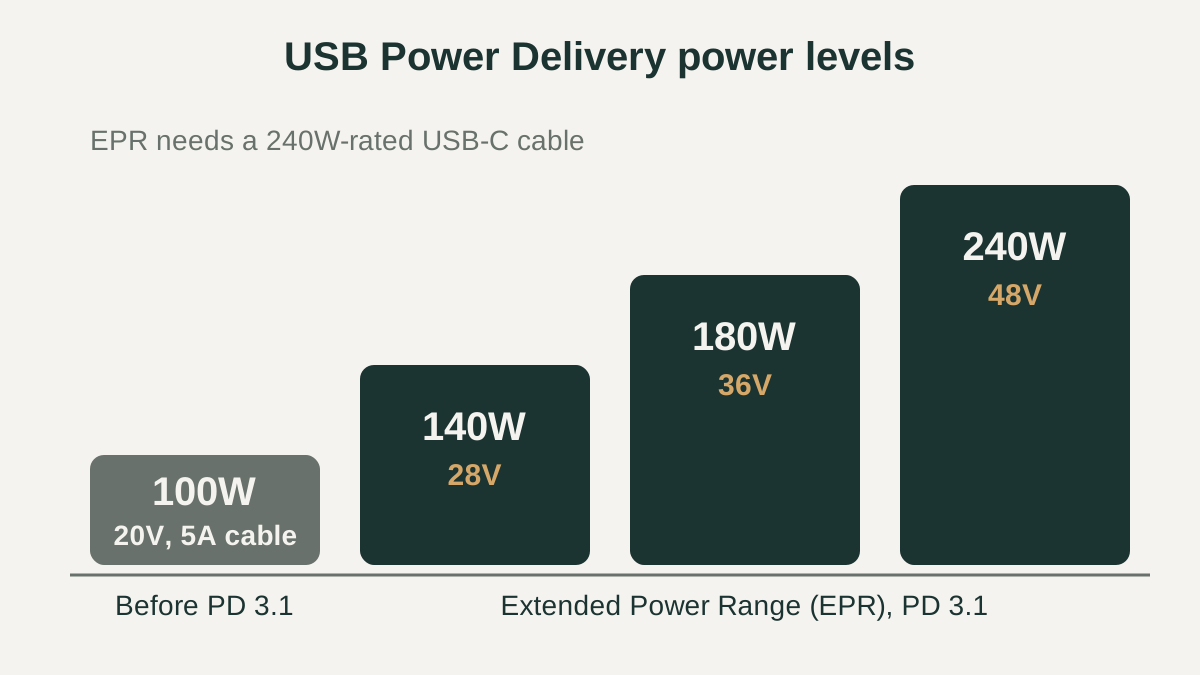 USB-C Laptop Charging Wattage: How Many Watts Your Laptop NeedsHow USB-C laptop charging wattage works: matching charger watts, what a lower-wattage charger does, USB PD levels up to 240W, and why cable ratings matter.
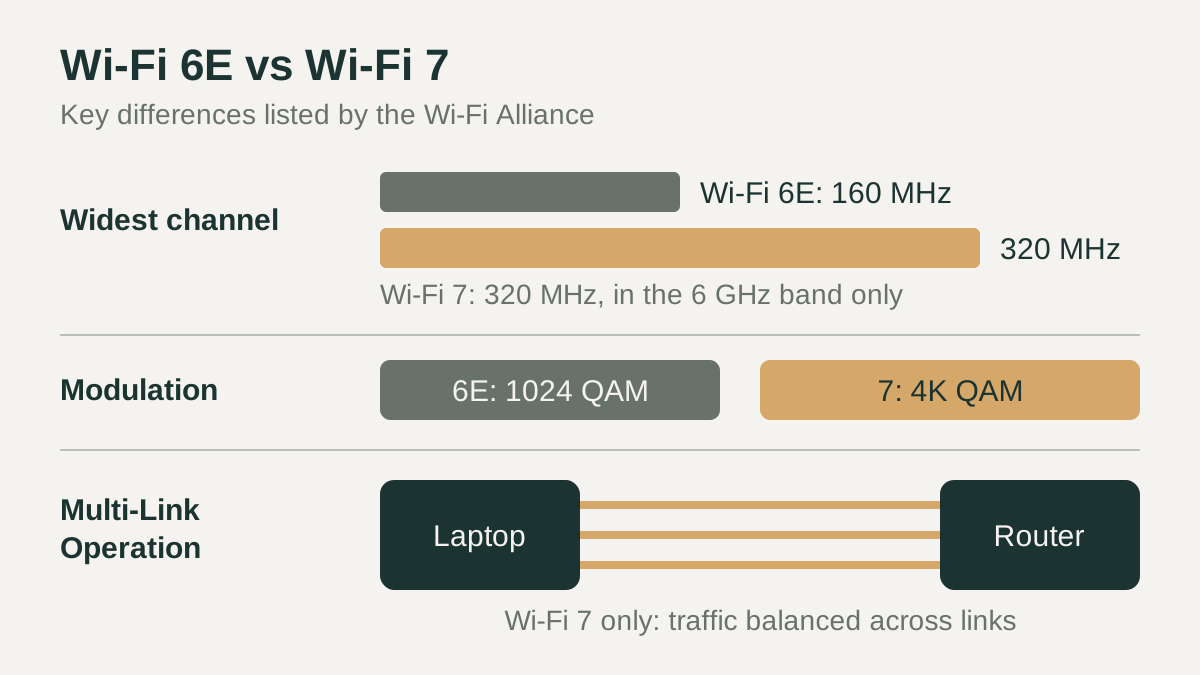 WiFi 7 vs WiFi 6E Laptop: What Actually ChangesWi-Fi 7 vs Wi-Fi 6E in a laptop: 320 MHz channels, 4K QAM, Multi-Link Operation, router and Windows requirements, and 6 GHz rules explained.
Displays
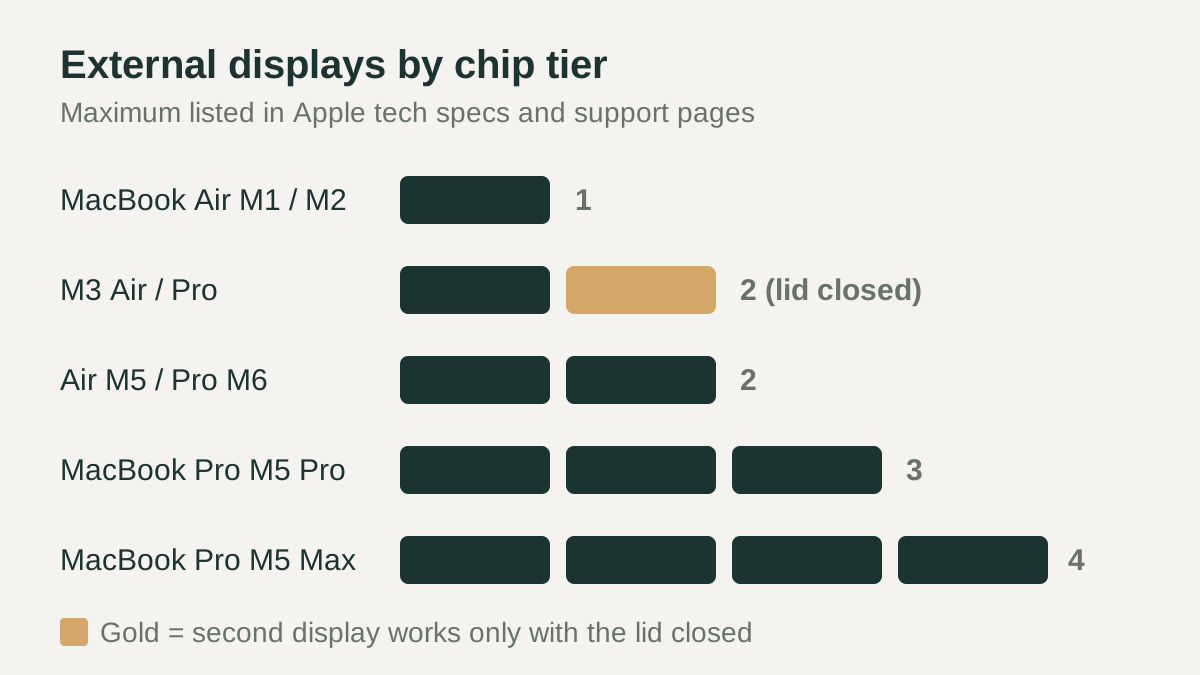 MacBook External Monitor Support: How Many Displays Each Chip Can Run
Software & platform
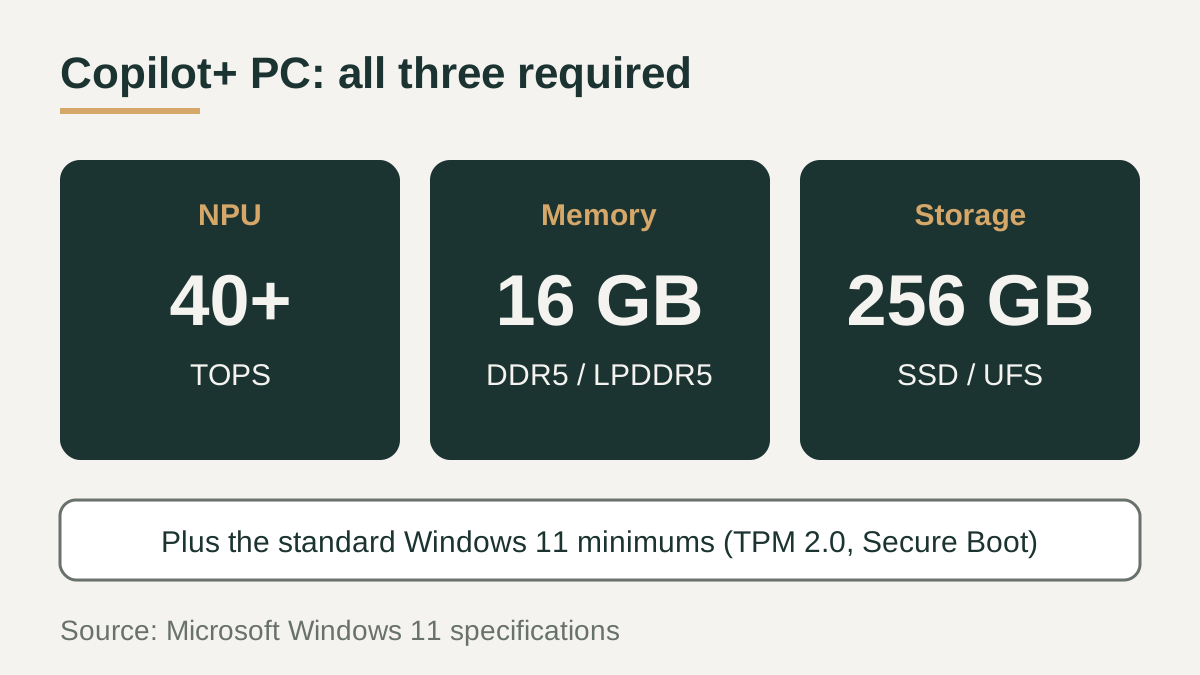 Copilot+ PC Requirements: NPU, RAM, Storage and Qualifying ChipsWhat Microsoft requires for a Copilot+ PC: a 40+ TOPS NPU, 16 GB RAM and 256 GB storage, plus which chips qualify and how to read a spec sheet.
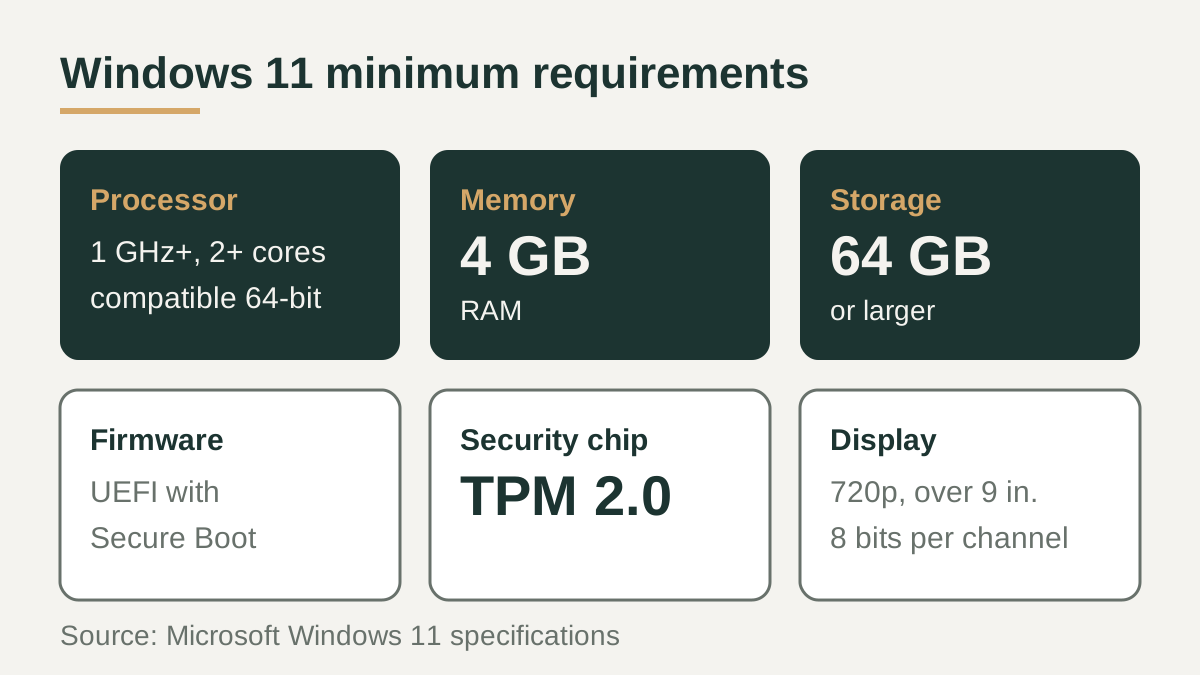 Windows 11 Laptop Requirements: Minimum Specs, Checks and LimitsMicrosoft's minimum Windows 11 laptop requirements explained: CPU, RAM, storage, TPM 2.0, Secure Boot, display, PC Health Check and Windows 10 end of support.
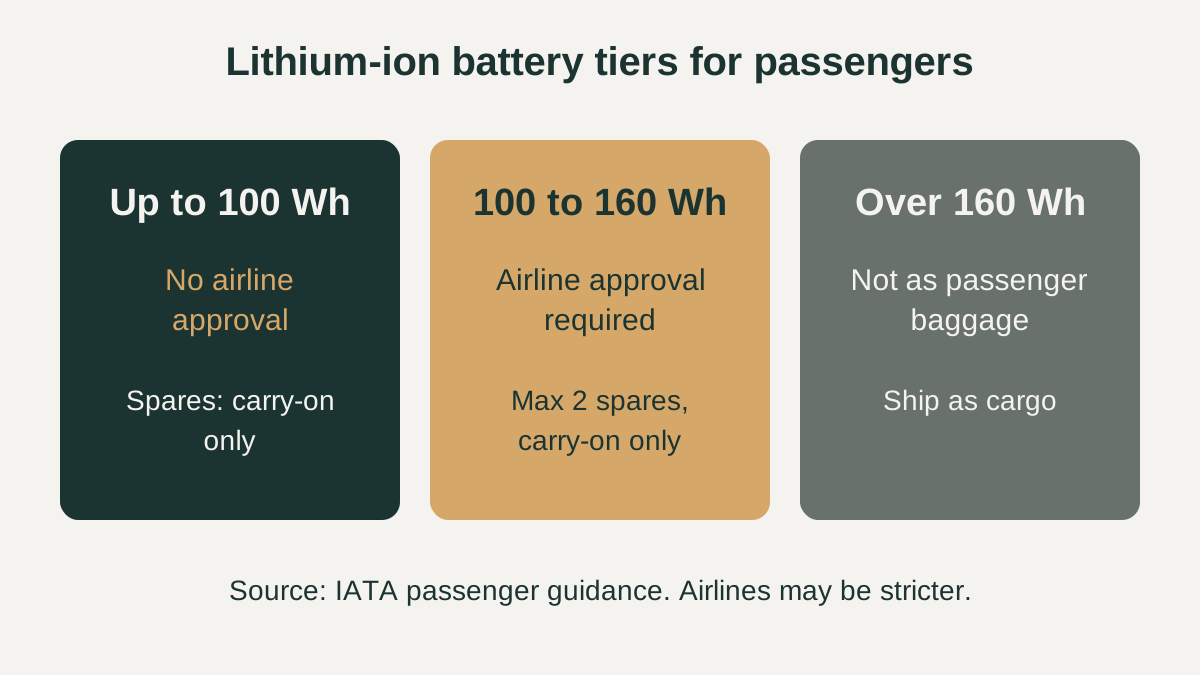 Laptop Battery Airplane Rules: Watt-Hour Limits, Carry-On and Power Banks
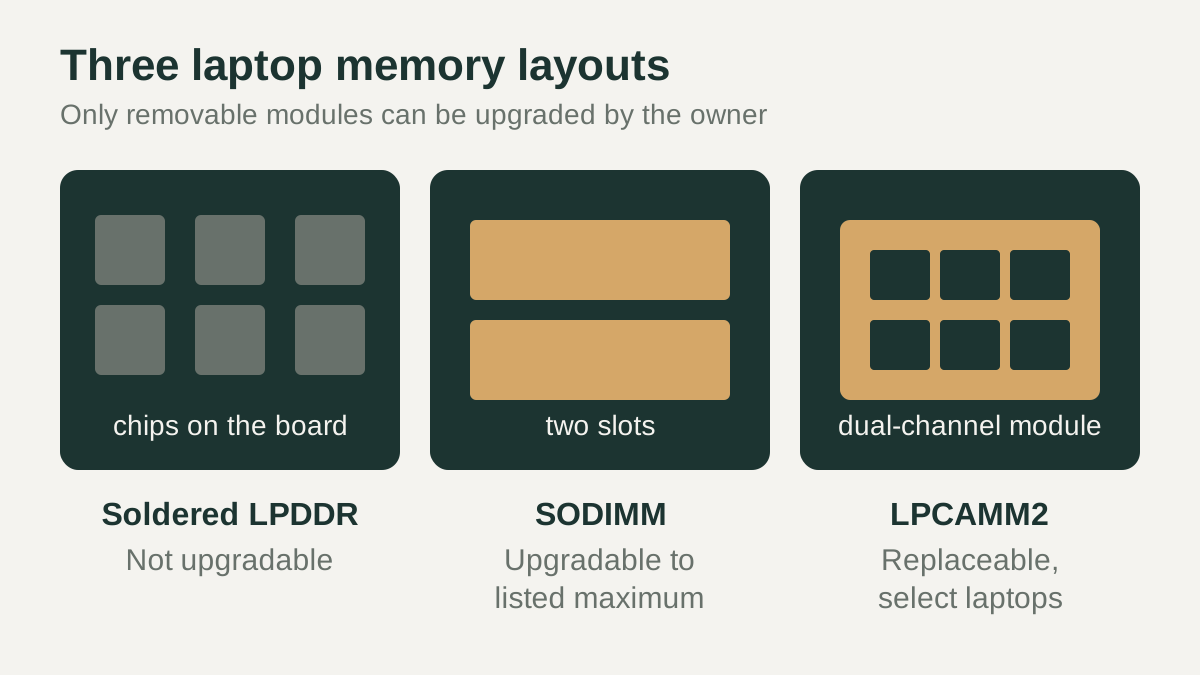 Can You Upgrade Laptop RAM? Soldered vs SODIMM vs LPCAMM2