Home / Guides / Software & platform
Windows 11 Laptop Requirements: Minimum Specs, Checks and Limits
Microsoft's minimum Windows 11 laptop requirements explained: CPU, RAM, storage, TPM 2.0, Secure Boot, display, PC Health Check and Windows 10 end of support.
What are the Windows 11 laptop requirements?
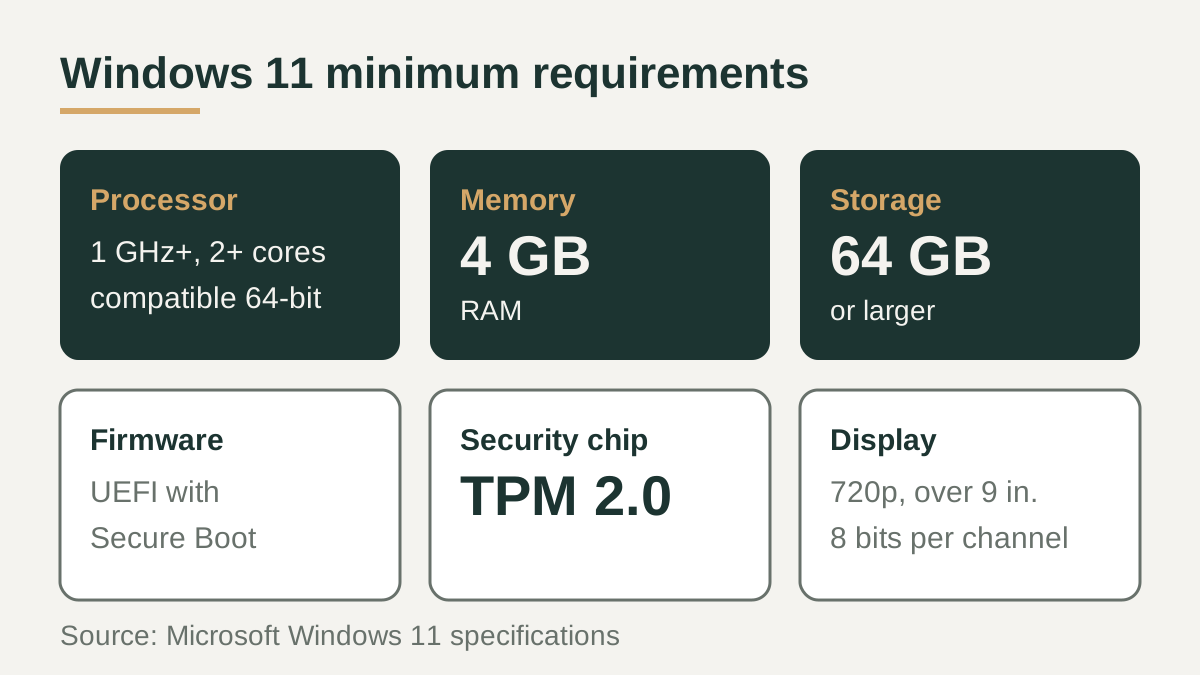
The Windows 11 laptop requirements set by Microsoft are a short list of hardware minimums: a compatible 64-bit processor running at 1 GHz or faster with two or more cores, 4 GB of RAM, a 64 GB or larger storage device, UEFI firmware with Secure Boot capability, TPM version 2.0, DirectX 12 compatible graphics with a WDDM 2.0 driver, and a 720p display larger than 9 inches diagonally with 8 bits per color channel.
Windows 11 Home also needs an internet connection and a Microsoft account to finish setup on first use. Any new laptop sold with Windows 11 preinstalled already meets these minimums, so the list matters most when you are upgrading an older machine or buying a used one.
The minimum specs, component by component
The table below lists each requirement as Microsoft publishes it, next to what that usually looks like on a laptop spec sheet. The processor line is the one that trips up most older laptops, because the CPU has to appear on Microsoft's list of compatible processors, not just meet the clock speed and core count.
Microsoft's IT documentation also notes that storage needs may grow over time for updates and to enable specific features, so the 64 GB figure is a floor rather than a target.
| Component | Microsoft minimum | What to check on a spec sheet |
|---|---|---|
| Processor | 1 GHz or faster, 2 or more cores, compatible 64-bit CPU or SoC | Model name appears on Microsoft's supported processor list |
| Memory | 4 GB RAM | Installed RAM, and whether it is soldered or upgradeable |
| Storage | 64 GB or larger storage device | Total SSD capacity and free space left for updates |
| System firmware | UEFI, Secure Boot capable | UEFI mode and Secure Boot listed in firmware settings |
| TPM | Trusted Platform Module version 2.0 | TPM 2.0, often shown as fTPM or Intel PTT |
| Graphics | DirectX 12 or later with WDDM 2.0 driver | Integrated or discrete GPU with current drivers |
| Display | 720p, greater than 9 inches diagonal, 8 bits per color channel | Screen size and native resolution |
How to check an existing laptop with PC Health Check
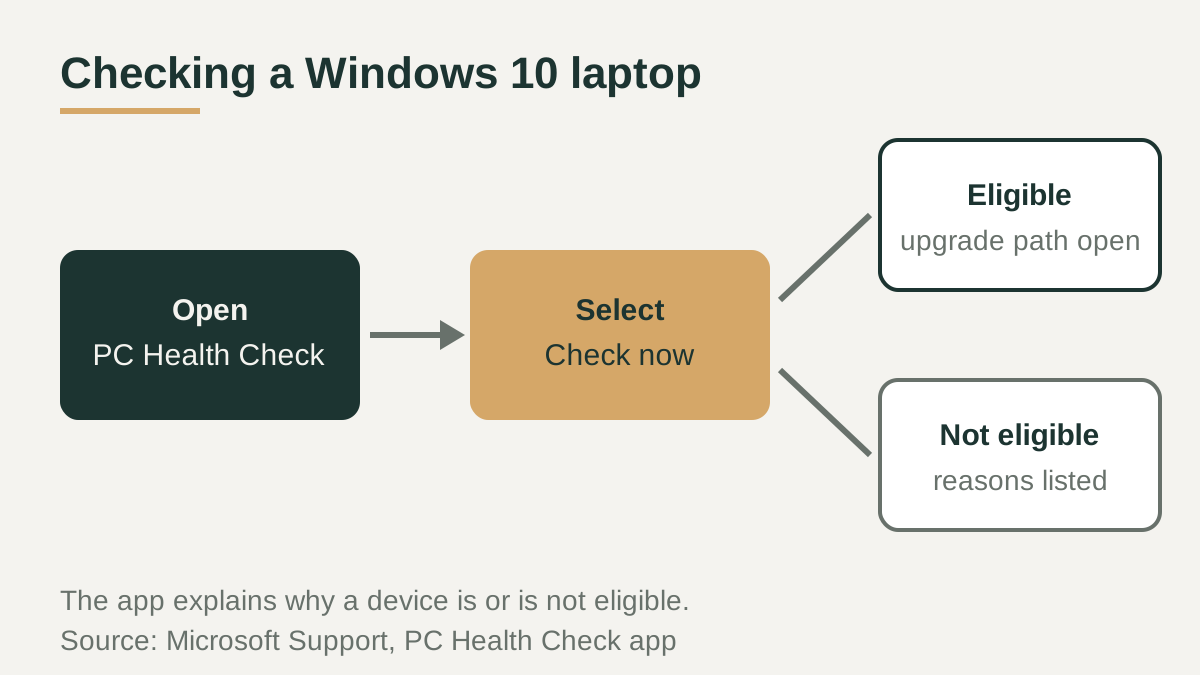
If the laptop runs Windows 10, Microsoft's PC Health Check app tests it against the Windows 11 minimum system requirements. Search for PC Health Check from the taskbar and open it; if it is not installed, Microsoft provides a download link on its support page. In the Check Windows 11 eligibility section, select Check now.
The app reports whether the device is eligible and explains why it is or is not, along with suggested options when something falls short. A failed TPM or Secure Boot result sometimes reflects a firmware setting that is switched off rather than missing hardware, so it can be worth reviewing the laptop maker's firmware documentation before concluding the machine cannot upgrade. Microsoft also says it may temporarily delay an upgrade if a known compatibility issue would disrupt the experience.
Unsupported laptops and the end of Windows 10 support
Microsoft advises against installing Windows 11 on a device that does not meet the minimums. According to its support article, such devices will not receive support from Microsoft, may not receive updates including security updates, and could malfunction due to compatibility issues. Damage caused by incompatibility is not covered by the manufacturer warranty, and a watermark appears on the desktop. Microsoft suggests rolling back to Windows 10, an option that remains in Settings for only 10 days after the upgrade.
That fallback has its own limit. Windows 10 support ended on October 14, 2025. Microsoft says a Windows 10 PC keeps working, but it no longer receives security updates or technical support. A consumer Extended Security Updates program exists to extend protection for a limited time.
Why minimum is not the same as comfortable
The requirements describe what Windows 11 needs to install and run, not what a particular workload needs to feel responsive. Microsoft itself lists feature-specific requirements beyond the minimums: three-column Snap layouts need a screen at least 1920 effective pixels wide, Windows Hello biometrics need an infrared camera or fingerprint reader, and DirectStorage needs an NVMe SSD.
Microsoft's own Copilot+ PC class is also defined at 16 GB of RAM and 256 GB of storage, well above the 4 GB and 64 GB floor. That does not mean every user needs those figures, but it shows how far the minimums sit below current premium hardware. Browser tabs, video calls and creative apps all draw on memory, so many buyers treat 4 GB as a compatibility line rather than a working target, and check the RAM and storage that their own apps call for.
Checklist before you buy
Whether you are upgrading a laptop you already own or comparing listings for a used one, a few quick checks confirm Windows 11 support and save you from discovering a blocked upgrade after the purchase. For a used laptop, ask the seller for the exact processor model and a PC Health Check result, since a listing that simply says it runs Windows does not tell you whether the hardware is officially supported.
- Confirm the exact processor model appears on Microsoft's supported processor list.
- Check that the laptop reports TPM 2.0 and UEFI with Secure Boot capability.
- Run PC Health Check on any Windows 10 machine before planning an upgrade.
- Look past the 4 GB and 64 GB floors to the RAM and storage your own apps need.
- Check screen width and sensors if you want Snap layouts or Windows Hello biometrics.
- Plan for Windows 10 having reached end of support on October 14, 2025.