Home / Guides / Battery & care
Laptop Battery Charge Limit: What It Does and How to Turn It On
What a laptop battery charge limit or conservation mode does, how Apple, Lenovo and Dell implement it, typical thresholds, and how to switch it on.
What a laptop battery charge limit does
A laptop battery charge limit tells the computer to stop charging before the battery reaches 100 percent, or to delay the last part of a full charge. Manufacturers give it different names, such as Charge Limit on a Mac, Conservation Mode on Lenovo laptops, and Primarily AC Use or Custom charging on Dell systems, but the idea is the same: the battery spends less time sitting at a full charge.
The trade-off is simple. With a limit in place, you have a little less runtime when you unplug, in exchange for a setting that manufacturers describe as better for the long-term health of the battery. Most limits can be switched off again whenever you need a full charge for travel or a long day away from an outlet.
Why manufacturers offer charge limits
Apple explains the reasoning in its battery support article. A battery's lifespan is related to its chemical age, and as lithium-ion batteries age they hold less charge, which shortens battery life and can lower peak performance. Apple says Optimized Battery Charging is designed to reduce wear and improve lifespan by reducing the time your Mac spends fully charged.
Lenovo makes a similar point in its user guides. It describes conservation mode as beneficial to the long-term health of the battery and suggests it for a computer that is constantly plugged into an electrical outlet. In other words, the feature targets people who leave a laptop on a desk at full power for long stretches, which is when a battery would otherwise sit at a full charge.
How Apple, Lenovo and Dell implement it
Each manufacturer sets the limit in its own way, and the options available depend on the model. The table summarizes what the official documentation checked for this guide says about each setting. Some settings use a fixed range, while others let you choose the number or learn from your routine.
HP and ASUS also offer battery care settings on some models, but their official support pages could not be fully loaded during the check for this guide, so their thresholds are left out here. Look up your exact model on the maker's support site.
| Maker and setting | What it does | Threshold stated by the maker |
|---|---|---|
| Apple Optimized Battery Charging | Learns your routine and delays finishing a full charge | No fixed number; reduces time spent fully charged |
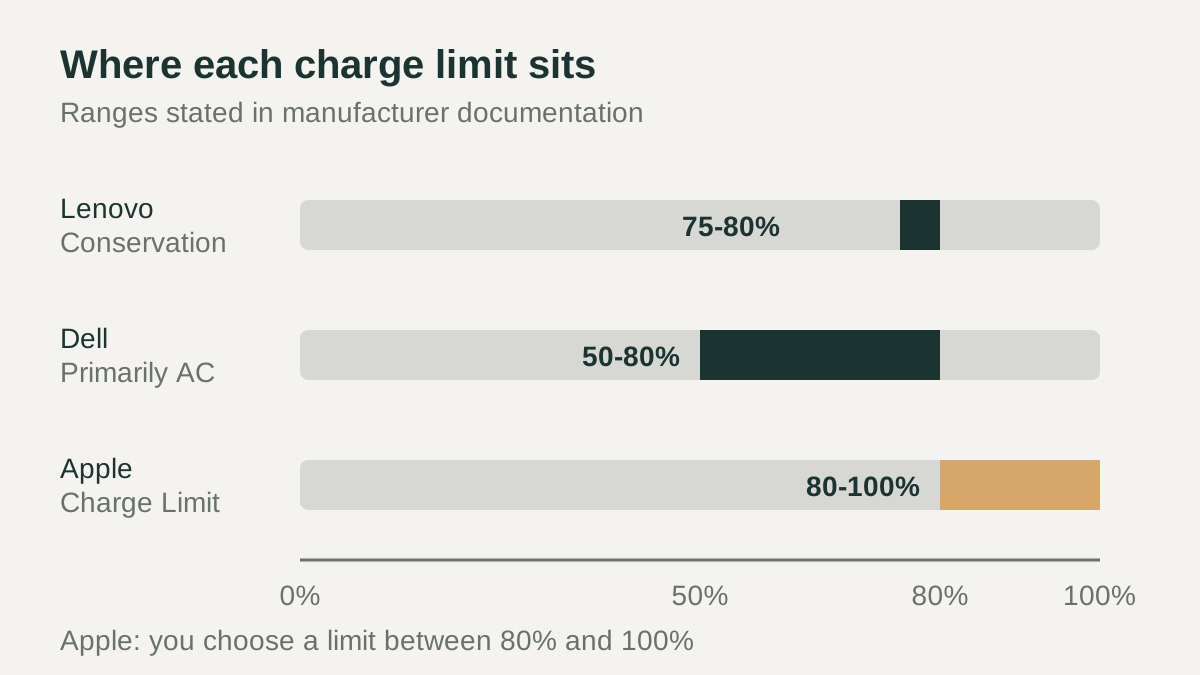
| Apple Charge Limit | Stops charging at the limit you choose | Choose between 80% and 100%; needs macOS Tahoe 26.4 or later and Apple silicon |
| Lenovo Conservation Mode | Keeps the battery from fully charging | Charge kept within 75% to 80% |
| Dell Primarily AC Use | Caps the maximum charge in a fixed range | Charge limited to 50% to 80% |
| Dell Custom | You define when charging starts and stops | The battery will not charge beyond your defined limit |
| Dell Adaptive | Learns usage patterns and adjusts charging | No fixed number stated |
Does keeping a laptop plugged in harm the battery?
The manufacturer pages checked for this guide do not say that staying plugged in damages a laptop on its own, but they do treat long periods at full charge as something worth limiting. Apple's charging features exist to cut the time a Mac spends fully charged, and Lenovo points users who stay constantly plugged in toward conservation mode for long-term battery health.
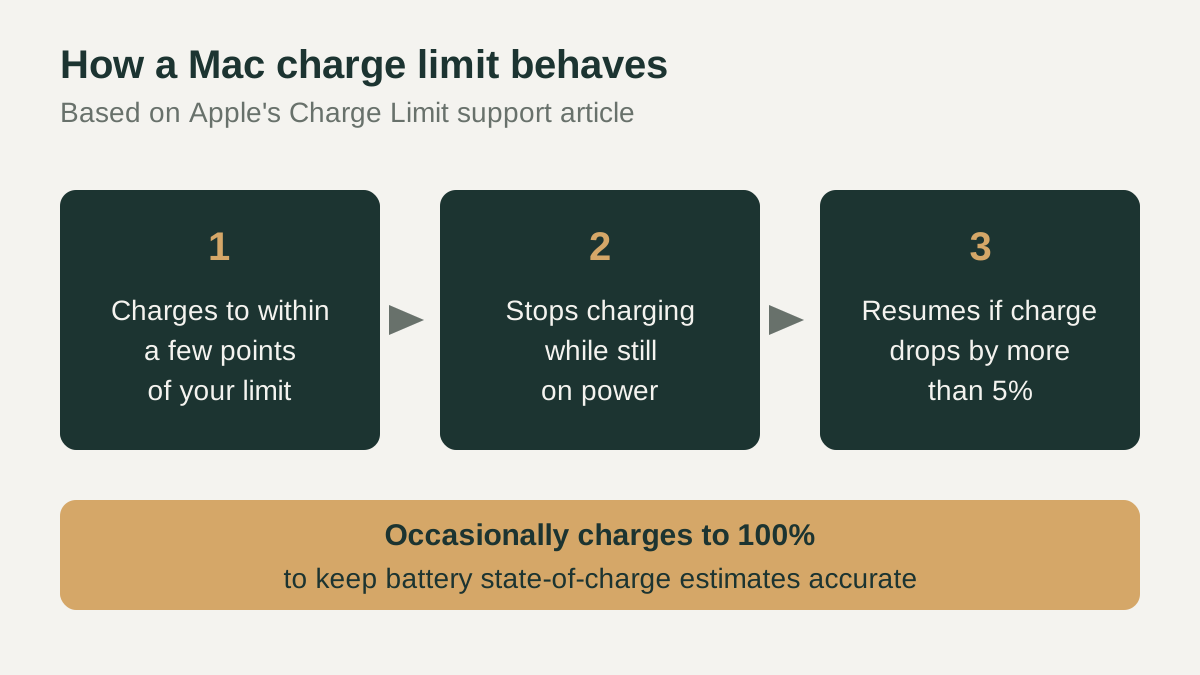
Dell takes a similar approach with its Primarily AC Use mode, which, as the name suggests, is aimed at laptops running on AC power and limits charging to between 50 and 80 percent. Apple also notes that, with either of its features on, a Mac will occasionally charge to 100 percent to keep its battery state-of-charge estimates accurate, so seeing a full battery once in a while is expected behavior and not a fault.
How to turn on a charge limit
On a Mac with macOS Ventura 13 or later, open the Apple menu, choose System Settings, and click Battery in the sidebar. Click the info button next to Charging to switch Optimized Battery Charging on or off. On a Mac with Apple silicon and macOS Tahoe 26.4 or later, the same panel lets you pick a Charge Limit and click Done. Apple says the Mac then charges to within a few percentage points of the limit and resumes if the charge drops by more than 5 percent while on power.
On Lenovo laptops, Lenovo's guide says you can change the charging mode in Lenovo Vantage, Lenovo PC Manager or Lenovo Smart Engine, depending on the model. To get a full charge, switch back to normal or rapid charge mode. On Dell laptops, the charge mode lives in the battery charge settings; Dell advises switching to Standard if the battery seems stuck below a full charge.
Checklist before you change settings
Before you change anything, note which tool your laptop uses and which mode is active now, so you can return to it later. A limit that seems like a fault, such as a battery that never passes 80 percent, is often just a charge mode doing its job. Check the mode first before assuming the battery needs service or replacement. Settings can also differ between models from the same maker, so use the guide written for your exact laptop.
- Confirm your model supports a charge limit in its official support or user guide pages.
- On a Mac, check that you have Apple silicon and macOS Tahoe 26.4 or later for Charge Limit.
- Pick a limit that still covers the runtime you need when you unplug.
- Remember how to switch back to a full charge before travel or long days away from power.
- Expect an occasional full charge on a Mac; Apple uses it to keep estimates accurate.
- If a battery stops short of full, check the active charge mode before calling for repair.