Home / Guides / Software & platform
Copilot+ PC Requirements: NPU, RAM, Storage and Qualifying Chips
What Microsoft requires for a Copilot+ PC: a 40+ TOPS NPU, 16 GB RAM and 256 GB storage, plus which chips qualify and how to read a spec sheet.
What are the Copilot+ PC requirements?
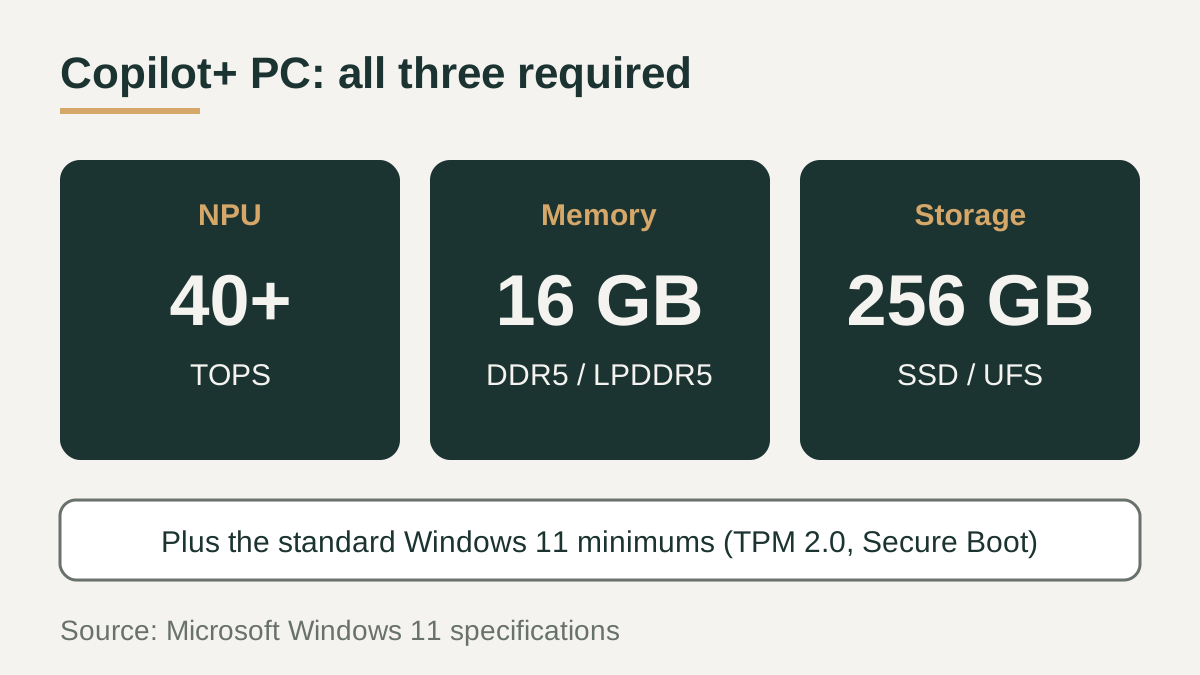
The Copilot+ PC requirements Microsoft publishes sit on top of the standard Windows 11 minimums and add three hardware thresholds: a compatible processor or system on a chip with a neural processing unit (NPU) capable of 40+ TOPS, 16 GB of DDR5 or LPDDR5 memory, and a 256 GB SSD or UFS storage drive. TOPS stands for trillions of operations per second, the figure used to rate NPU throughput.
All three conditions have to be met together. Microsoft states that devices with fewer than 16 GB of RAM or lower storage configurations are not Copilot+ PCs, even when they include an NPU rated at 40+ TOPS.
How a Copilot+ PC differs from a standard Windows 11 laptop
Every Copilot+ PC is a Windows 11 PC, so the usual requirements for TPM 2.0, UEFI with Secure Boot, a compatible 64-bit processor and DirectX 12 graphics still apply. The difference is in the AI hardware and in much higher memory and storage floors.
The table compares the two classes using the figures on Microsoft's Windows 11 specifications page. Microsoft's developer guide describes Copilot+ PCs as a class of Windows 11 hardware built around a high-performance NPU, a specialized chip for AI tasks such as real-time translation and image generation.
| Requirement | Standard Windows 11 minimum | Copilot+ PC minimum |
|---|---|---|
| AI processor | No NPU required | NPU capable of 40+ TOPS |
| Memory | 4 GB RAM | 16 GB DDR5 or LPDDR5 |
| Storage | 64 GB or larger storage device | 256 GB SSD or UFS |
| Base platform | TPM 2.0, UEFI Secure Boot, compatible 64-bit CPU | Same Windows 11 minimums, plus the three items above |
Which features need a Copilot+ PC
Microsoft's developer guide says many new Windows AI features require an NPU that can run at 40+ TOPS. When Microsoft extended Copilot+ experiences to AMD and Intel hardware, it listed Live Captions with translation, Windows Studio Effects, Cocreator in Paint, and Restyle image and Image Creator in Photos. Its Copilot+ PC page also names Click to Do and improved Windows search.
Recall has the most detailed published requirements. Microsoft's support article calls for a Copilot+ PC meeting the Secured-core standard, a 40 TOPS NPU, 16 GB of RAM, 256 GB of storage with at least 50 GB free, Device Encryption or BitLocker, and Windows Hello Enhanced Sign-in Security with a biometric option. Snapshot saving is off by default. Microsoft also notes that Copilot+ experiences vary by device and market and continue to roll out through updates.
Which processors qualify, and what about older NPUs
Microsoft names Qualcomm Snapdragon X Elite and Snapdragon X Plus as the first Copilot+ PC chips, followed by the AMD Ryzen AI 300 series and the Intel Core Ultra 200V series. Intel's own announcement says designs with Core Ultra 200V processors running the latest Windows are eligible for Copilot+ PC features as a free update. Microsoft's guide also lists Surface for Business models with Intel Core Ultra processors (Series 2).
Having an NPU is not enough on its own. A laptop qualifies only when its NPU reaches 40+ TOPS and it also ships with at least 16 GB of RAM and 256 GB of storage. An older laptop with an earlier, lower-rated NPU does not become a Copilot+ PC through a software update, and a qualifying chip paired with 8 GB of memory does not qualify either.
How to verify Copilot+ status on a spec sheet
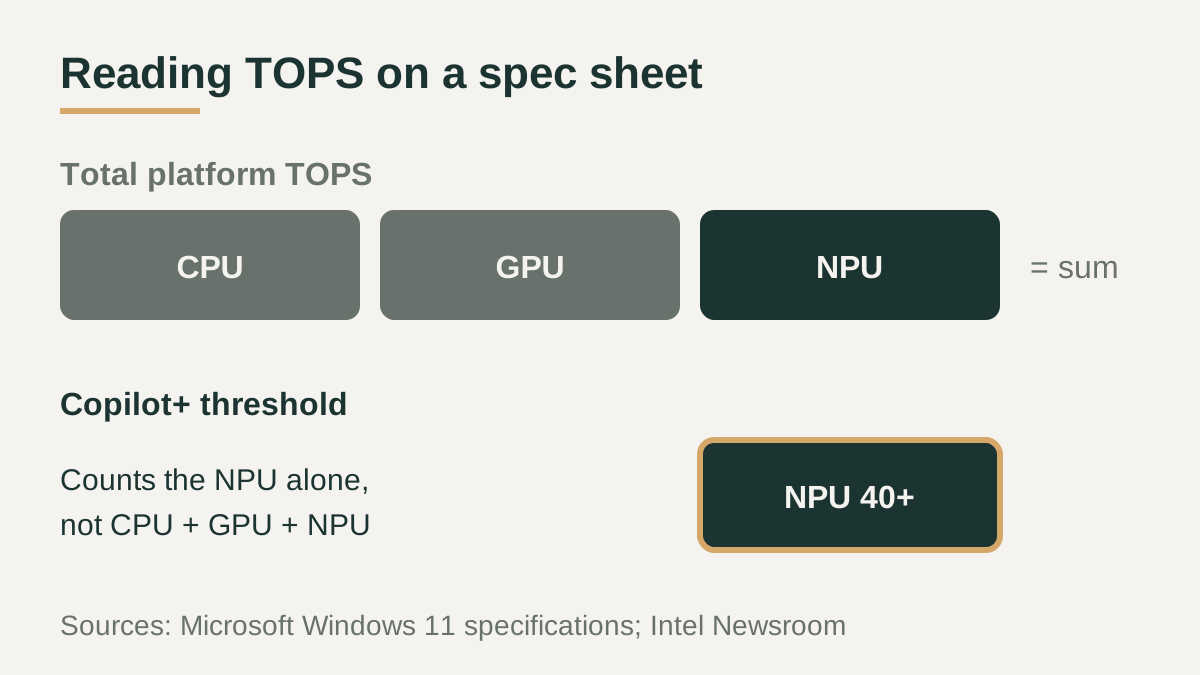
Start with the processor name and compare it against the families Microsoft lists. Then find the NPU rating specifically. Chip makers sometimes quote a combined platform figure instead; Intel, for example, cites up to 120 total platform TOPS for Core Ultra 200V, a number that adds CPU, GPU and NPU together. The Copilot+ threshold refers to the NPU alone.
Next, confirm the configuration rather than the model family. The same laptop line can be sold with different memory and storage options, and only versions with 16 GB of RAM and 256 GB or more of storage meet the definition. On a laptop you already have, Task Manager shows an NPU entry on devices that include one, which confirms the hardware is present but not its TOPS rating.
Checklist before you buy
Copilot+ status depends on the exact configuration, not the brand or the series name, so check each listing on its own. These points cover the conditions Microsoft publishes, and they apply equally to a new laptop, a refurbished unit or a business model ordered through an IT department. If a listing leaves out the NPU rating or the memory type, the manufacturer's own specification page for that exact model number is the place to confirm it.
- Confirm the processor belongs to a family Microsoft lists for Copilot+ PCs.
- Look for an NPU rating of 40+ TOPS, not a combined platform TOPS figure.
- Check that the exact configuration has at least 16 GB of DDR5 or LPDDR5 RAM.
- Check for at least 256 GB of SSD or UFS storage, with room to spare if you plan to use Recall.
- Expect feature availability to vary by device, region and language, and to arrive through updates.
- Make sure the laptop also meets the standard Windows 11 requirements such as TPM 2.0 and Secure Boot.